Audio to Subtitle Online: Three Routes and Their Boundaries
You have a recording or a video and want a subtitle file. Platform-native, desktop software, or an online tool — the outcomes differ a lot: some let you look but not export, others demand tens of gigabytes of installs. See each route's boundary first, then choose.
Route one: platform-native captions
YouTube, Bilibili and similar platforms auto-generate captions after upload. Zero cost, no extra tools.
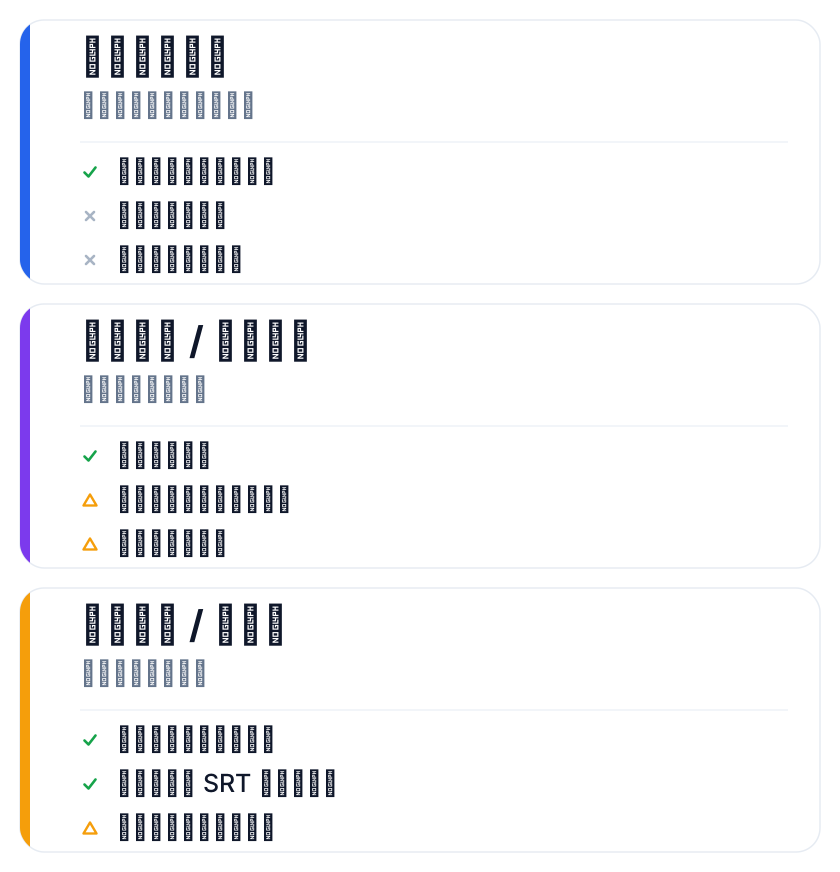
The boundary is equally obvious: captions tend to be locked inside the platform, SRT/VTT export rights vary by platform and some simply don't allow download; language and accuracy are the platform's call, with limited room to control either. Fine for "post and forget" content; poor for anything you'll re-edit or distribute across platforms.
This is why many teams still end up landing subtitles as local files — platform generation is a starting point, not a deliverable.
Route two: desktop software
Professional subtitle suites or local speech-recognition tools have the strongest processing power: fine-grained timing, styles, everything.
The price is installing software — some of it GPU-hungry and space-hungry. Batch and precision are usually better, but learning and deployment costs land on you; suited to long-term, high-frequency teams with hard quality requirements. The drawback: when the environment breaks (drivers, versions, plugins), troubleshooting is expensive, and the barrier is clearly higher for non-technical colleagues.
Route three: online tools
Take SmileSub's audio/video to subtitles as an example — upload and captions generate, no login: upload a video or audio file, pick the source language (Chinese, English, Japanese and Korean recognized), speech is recognized into subtitles, then translated into 20 languages, exported as SRT/VTT/ASS and bilingual subtitles, or burned into a final cut right in the browser.
The boundary: online tools cap free use by file size and cue count (1MB and 500 cues per file, 3 uses per tool per IP per day); longer content goes in segments or on credit billing. You can try without logging in, so the barrier is low.
Versus platforms, the online tool's advantage is that generate, translate, export and burn live in one place — no shuffling files between systems. Versus desktop software, it uses none of your local compute and needs no environment maintenance. The cost is the per-file quota; longer content goes on credits or in segments.
Comparing the three routes
| Dimension | Platform-native | Desktop software | Online tool |
|---|---|---|---|
| Export subtitle file | Often restricted | Yes | Yes |
| Batch | Weak | Strong | Moderate |
| Install software | No | Yes | No |
| Language / terminology control | Weak | Strong | Moderate |
One line: if you need to export and distribute, don't rely on the platform alone; if you want high precision without installing anything, online tools are the middle path.
No route is absolutely best — the question is whether you want "viewable" or "in hand, ready to distribute". For small teams and individual creators, the online route's learning cost is nearly zero. For what happens after — soft vs burned captions — see burned-in or soft subtitles.
Ask yourself three questions before choosing
Do you need the subtitle file itself? Yes — drop the view-only platform option. Will you batch, long-term? Yes — desktop software or credit billing pays off better. Willing to install software? No — online tools are the easiest.
Clear on those three, the choice rarely goes wrong.
If the content ships to multiple language markets, generating the source-language subtitles once and then translating costs far less at the margin than redoing each language from scratch — that's where online tools beat pure manual work.
Billing here runs on credits with a free allowance at signup: a 3-minute Chinese-English bilingual cut costs roughly a few cents; credit packs are one-time purchases and never expire, with monthly/quarterly/yearly subscriptions also available. If the timeline drifts after generation, fix it with the subtitle timeline shift tool.
FAQ
Why can't platform auto-captions be exported?
Some platforms treat captions as an on-site feature and don't expose a download path, or open it only to certain accounts. When you need the file, regenerate with a tool that exports SRT/VTT.
Which languages does the online recognition support?
Source recognition covers Chinese, English, Japanese and Korean; from there it translates into 20 languages. Other source languages aren't in the current capability range.
What if long audio exceeds the free quota?
1MB and 500 cues per file is the free tier; longer content can be split into segments, or credit billing buys more processing volume.