Douyin Video Subtitles: Vertical Layout Essentials
Vertical video gets covered far more easily than landscape. Platform UI sits directly on the frame — a subtitle placed too low ends up under the account name, caption or music bar. Safe area, font size and cue duration below can be applied directly.
Why vertical gets covered more
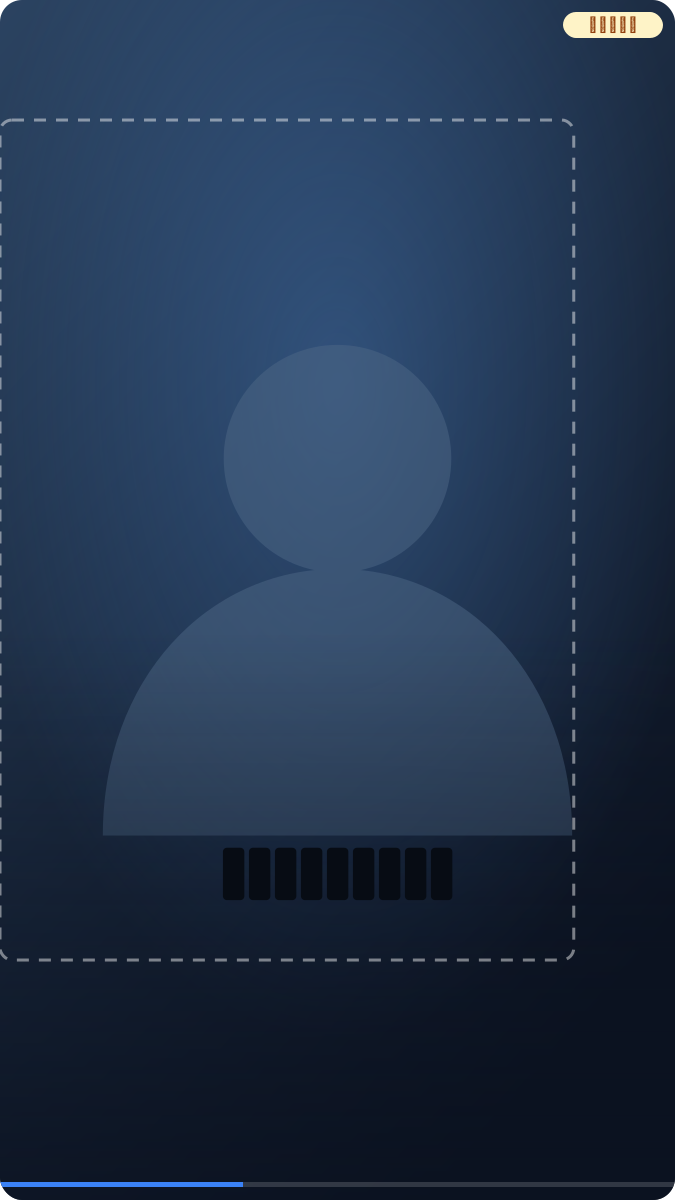
Landscape is "letterboxed" into the phone screen — black bars top and bottom keep edge-riding subtitles inside the frame. Vertical fills the screen completely: bottom navigation, the right-hand action column and the top tab switcher all sit on the picture. The same bottom-riding subtitle that's fine in landscape can be fully covered in portrait. So reserve space for subtitles from the shoot, not after you discover the overlap.
How to keep the safe area
The common practice: keep subtitles in the upper-middle zone. Leave height at the bottom for account name, caption, music bar and navigation; leave width on the right for avatar, like/comment/share buttons; leave space at the top for search and the follow/for-you switch.
How much depends on the framing you reserved while shooting. Reliable self-check: play the final cut full-screen on a phone, pause on the lowest subtitle, and see whether the UI presses on it. Keep the subject centered with generous margins while shooting, and post-production has room to place text.
How big should the font be
"Set the font to 24" is meaningless — it depends on the canvas pixel height. The rule of thumb: one line takes 1/30 to 1/22 of frame height; for 1080×1920 footage that's roughly 64–88px. Two reminders: count both lines for two-line subtitles, and keep the whole block under 1/6 of frame height; for the same footage shown in landscape, push the ratio up a notch because landscape renders smaller on phones.
Why percentages instead of pixels: subtitle font size by frame-height ratio.
How long one cue stays
Duration must match character count, or viewers can't finish reading. The standard the site's subtitle checker also uses:
- Chinese: max 18 characters per line, reading speed under 9 chars/second
- Latin scripts: max 42 characters per line, 2 lines max, under 20 chars/second
- Each cue stays 1–7 seconds
A 5-second Chinese cue carrying 60 characters blows the limit — split it into two cues rather than shrinking the font. Feeds run fast here: shorter cues and lower-bound durations favor completion.
If the timeline shifted as a whole (exported half a second late), slide it with the subtitle shift tool. Before uploading, run the subtitle checker — it flags oversized and over-speed cues directly.
Burn in or use platform subtitles
Feeds autoplay muted, so viewers meet the picture and subtitles first. Burned-in subtitles can't be turned off and survive forwards and screenshots — the safer pick for silent feeds. Platform caption tracks are toggleable but depend on the platform displaying them, and the platform owns the style. For a burned final cut, SmileSub does recognition, translation and burn-in in one pass in the browser. Full trade-off: burned-in vs soft subtitles.
Bilingual subtitles on vertical feeds
Bilingual carries more information but the width doesn't change. Three points: fix the language order first — Chinese on top for domestic-first audiences, translation on top for overseas-first, consistent throughout; set font size by the longer line, or the wider language wraps and two lines become three; when it doesn't fit, split into sequential cues instead of shrinking the font further.
Draft the "original + translation" file with the bilingual SRT generator first, then style it in your editing app — far cheaper than reworking the final cut.
FAQ
Where is the safest subtitle position?
Upper-middle zone: height clear at the bottom for captions and navigation, width clear on the right for action buttons. Accounts vary slightly, so the reliable check is one full-screen pass on a phone.
What font size?
By frame-height percentage: 1/30 to 1/22 per line — roughly 64–88px for 1080×1920. Keep a two-line block under 1/6 of frame height. Don't memorize pixel values; they break when the canvas changes.
How long should one cue stay?
1–7 seconds, matched to character count: Chinese under 9 chars/second and 18 per line, Latin under 20 chars/second and 42 per line. Split cues rather than shrink fonts.